Web jeepfan.com  
 

home
projects & installs
technical & info
reviews & products
off-roading & events
featured products
racing
readers jeeps
links
contact
search

blog


decals and lettering by

-visit offroaders.com-

-visit FJfan.com-

Mud-Terrain and All-Terrain Tire Reviews
BF Goodrich Mud-Terrain T/A KM2
Pro Comp Xtreme Mud Terrain
Pro Comp Mud Terrain

Parnelli Jones Dirt Grips
Dunlop Radial Mud Rover
Hankook Dynapro MT
Nitto Mud Grappler
Dick Cepek Mud Country FC II
Maxxis MT-754 Buckshot Mudder
Maxxis MT-762 Bighorn Radial
Maxxis M-8090 Creepy Crawler
Mickey Thompson Baja MTZ
Goodyear Wrangler MT/R Tire
Interco Swamper TSL Radial
Interco Super Swamper Bogger
Interco Super Swamper Trxus M/T
Toyo Open Country M/T
Interco Swamper SSR
BF Goodrich Mud-Terrain T/A KM
Pro Comp Xtreme All Terrain

Pro Comp X-Terrain
Hankook Dynapro ATm
Nitto Terra Grappler
Nitto Dune Grappler
Dick Cepek Radial FC II
BF Goodrich All-Terrain T/A KO
Toyo Open Country A/T
Mickey Thompson Baja Claw
More Reviews


jeepfan.com JK Wrangler Unlimited Rubicon

jeepfan.com JK Wrangler Unlimited Rubicon
Unichip Jeep JK Wrangler Performance Computer Module Install

page 2

Installation

Note: Our installation detail is less complete than the directions that come with the unit.  This article is meant to outline and give a better idea of the installation.  Follow the Unichip directions and this guide together.

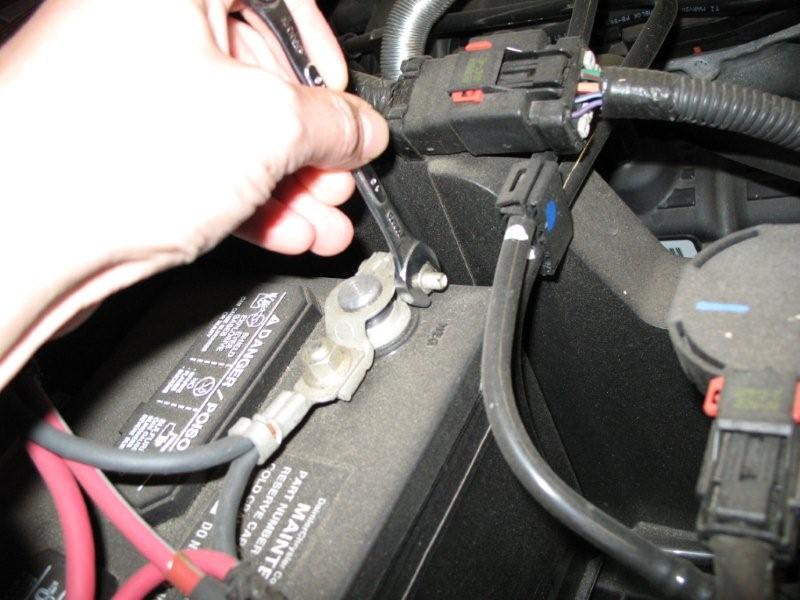
Disconnect the battery.  Messing with the computer systems on newer vehicles can be risky without some precautions.  Not remembering to disconnect the power can cause damage to the computer system.

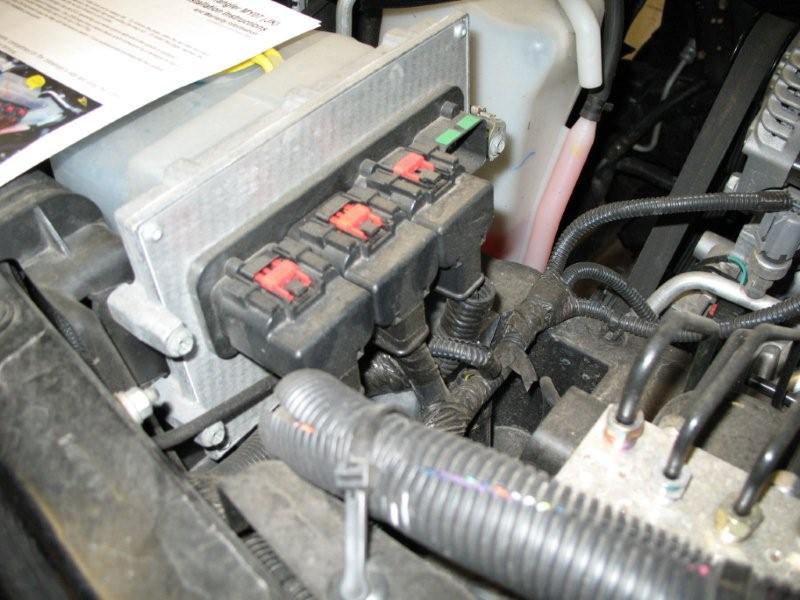
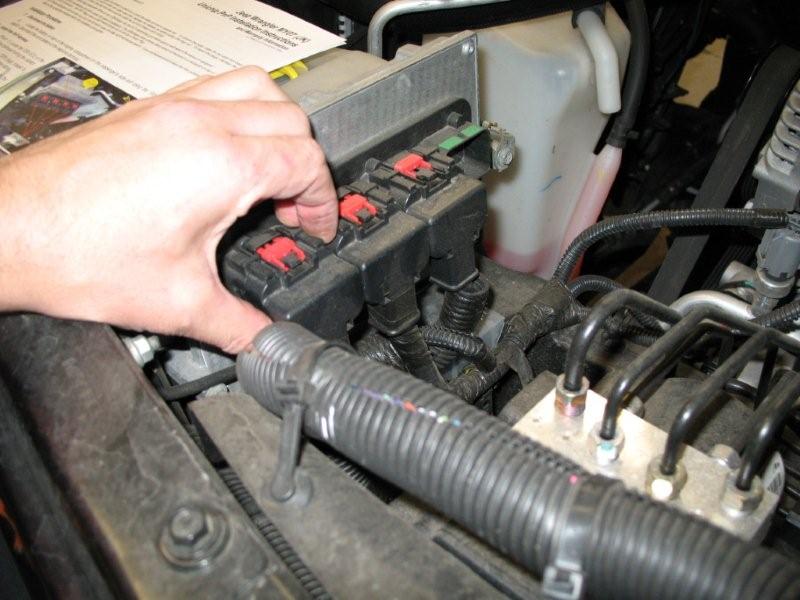
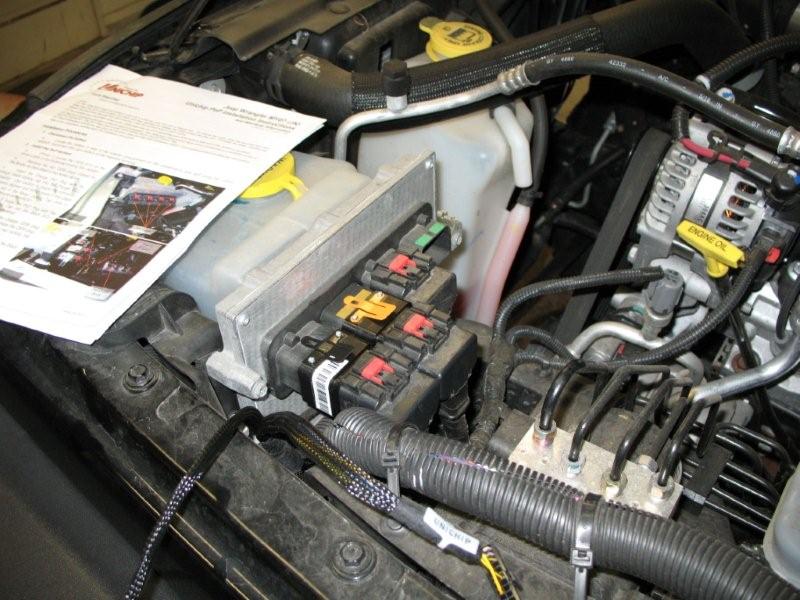
Locate the Jeep's computer on the drivers side behind the windshield washer bottle.  Pop the two retaining clips that hold the computer plugs in place on the outer most two plugs.  Some model Jeeps use four of the plugs others use three.

When the plug clips are released squeeze the black tab to the rear of the red retainer and gently rock the plug to release it.  Repeat for the second plug.  You will notice the outer connector is black and the second is orange.

Next, install the Unichip wiring harness into the original plugs.  Plug the orange connector into the orange plug and the black into the black.  Then plug both connectors back into the computer. (pictured right)

Install the module - a modification

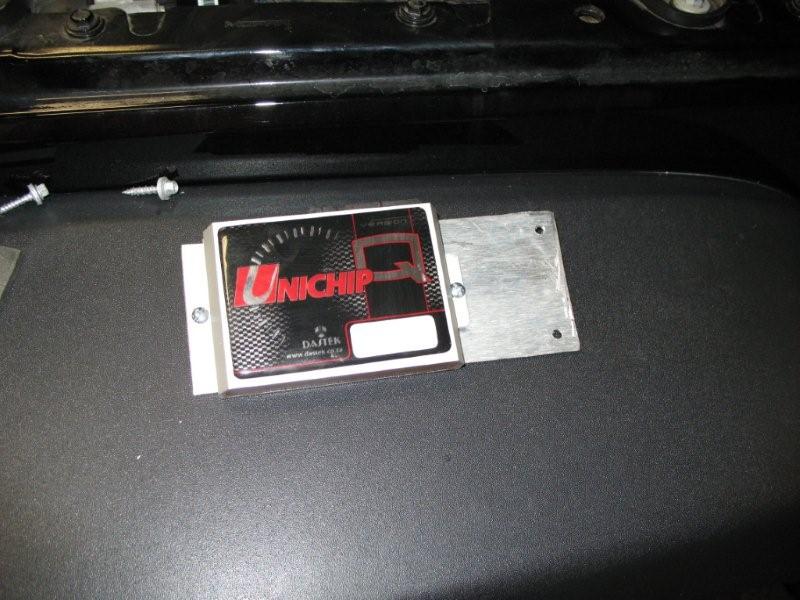
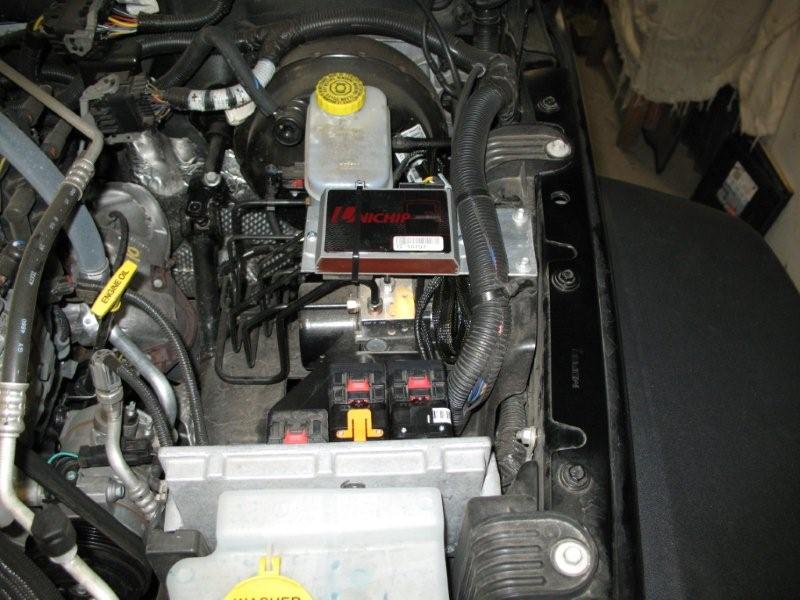
The directions call to attach a Velcro patch to the back of the module and attach it to the plastic area on the front of the brake control.  We didn't like the way the module was crammed into the area and made it almost impossible to remove the wiring harness.  We fabricated a piece of flat aluminum and created a bracket to mount the chip above the brake control. 

A piece of rubber was attached to the bottom of the plate to prevent it from rubbing the brake lines.  Two screws into the plastic inner fender and a wire tie keep the module securely in place.


For pricing and options see the product at

Unichip Jeep JK Wrangler Performance Module
 

Reconnect the battery - the Jeeps horn will beep and the wipers may move - don't let it startle you.  Start the Jeep and see that it idles and sound correct.  If it doesn't start disconnect the battery and verify connections.  Follow the troubleshooting procedure outlined in the Unichip directions.

Next page - a road test, 1st impressions, tuning, and other details



disconnecting the battery


reassembled wiring harness


THE DYNO TEST
Together with OK Auto we had an opportunity to test out the Airaid and a Unichip performance chip on a dynamometer at G&S Autoworks in Oxford, NJ.

is there truth in the numbers? see the test
 

Related Articles

Airaid Cool Air Dam Intake System

jeepfan.com 2007 JK Wrangler Unlimited Rubicon

Christine's JK - Lift, Tires, and Wheels

McGard Wheel Locks

New tires - Toyo Open Country M/T

BDS JK Rear Track Bar Drop Bracket Install

AEV JK Wrangler Front Bumper Install


contact us  about jeepfan.com
advertise on jeepfan.com
Write for us! We are always looking for informative articles, make an information contribution to the Jeeping community.

DISCLAIMER: Demonstrations and procedures contained in jeepfan.com may not provide all necessary or relevant information. Applicable local laws and regulations may vary and should be checked before any project is commenced. Be sure to follow all applicable safety procedures. jeepfan.com makes no warranties, expressed or implied, as to the completeness, accuracy, or practicality of any such demonstration or procedure or any information.  We attempt to respect copyrighted material - if you find content on jeepfan.com that is misused please contact us so we may investigate and remedy the issue promptly.

Jeep® is a registered trademark of Chrysler, LLC.  jeepfan.com is not associated with Chrysler, LLC

The material contained within this web site, www.jeepfan.com, unless otherwise noted may not be reproduced, copied, re-posted or presented in any other media without the prior written approval of the author or www.jeepfan.com.
© 1997-2008 Sevenslot Media, LLC All Rights Reserved.